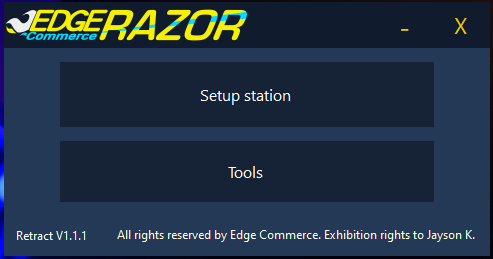
 Razor has been a huge learning experience for me. This was my first real dive into C#, Batch, and project management on a coding level.
Razor started out as a collection of Batch files that interlinked, first asking about the computer’s destination after setup, what client
, and what credentials you wanted it to have. It stored all this data in a raw text document, and the rest of the Batch files referenced
that document and added to it as you followed the setup. This was extremely primitive, but it got the job done. The C# variant is far more refined,
but still rough around the edges. This was a complete remake of the original. It keeps every feature, adds buttons instead of keypresses, and a (mostly)
polished UI. Unfortunately, it was never finished due to my resources being allocated elsewhere, but Razor remains a very nice first project.
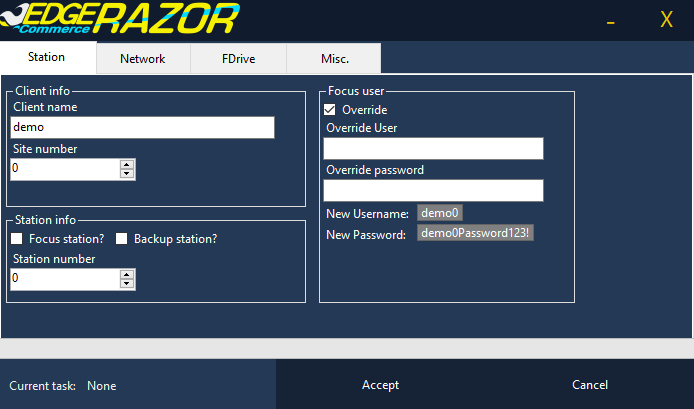
Some of the features that Razor has: first, setting up a POS station—asking the user for all the necessary information, providing the
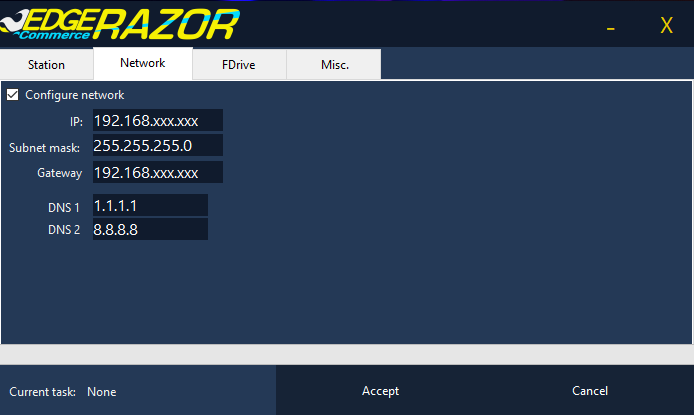
username and password from that information, and configuring a workgroup around the location's requirements. Next was a network configurator:
simply asking the user for the IP address, gateway, etc., and setting all adapters to this information. After that, it will prompt the user
on how much free space the F-drive partition should be (for Focus POS, the software needs an extra drive), giving a slider to easily allocate
the space. Finally, for setup, it asks what the computer should be named for the remote management software and installs, registers, and sorts
it all out. This saved hours of setup time for every single point-of-sales system unit we installed.
Razor has been a huge learning experience for me. This was my first real dive into C#, Batch, and project management on a coding level.
Razor started out as a collection of Batch files that interlinked, first asking about the computer’s destination after setup, what client
, and what credentials you wanted it to have. It stored all this data in a raw text document, and the rest of the Batch files referenced
that document and added to it as you followed the setup. This was extremely primitive, but it got the job done. The C# variant is far more refined,
but still rough around the edges. This was a complete remake of the original. It keeps every feature, adds buttons instead of keypresses, and a (mostly)
polished UI. Unfortunately, it was never finished due to my resources being allocated elsewhere, but Razor remains a very nice first project.
Some of the features that Razor has: first, setting up a POS station—asking the user for all the necessary information, providing the
username and password from that information, and configuring a workgroup around the location's requirements. Next was a network configurator:
simply asking the user for the IP address, gateway, etc., and setting all adapters to this information. After that, it will prompt the user
on how much free space the F-drive partition should be (for Focus POS, the software needs an extra drive), giving a slider to easily allocate
the space. Finally, for setup, it asks what the computer should be named for the remote management software and installs, registers, and sorts
it all out. This saved hours of setup time for every single point-of-sales system unit we installed.
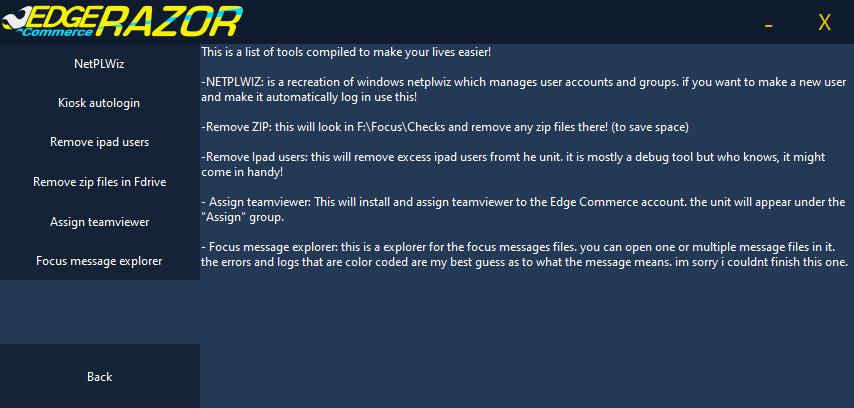 Some other miscellaneous features Razor has is a remake of NetPLWiz. It makes adding users, groups, and setting automatic device sign-in a breeze.
Kiosk sign-in that makes a macro run on every startup to punch in the access code for Focus POS to log into a kiosk user. Zip files in F-drive
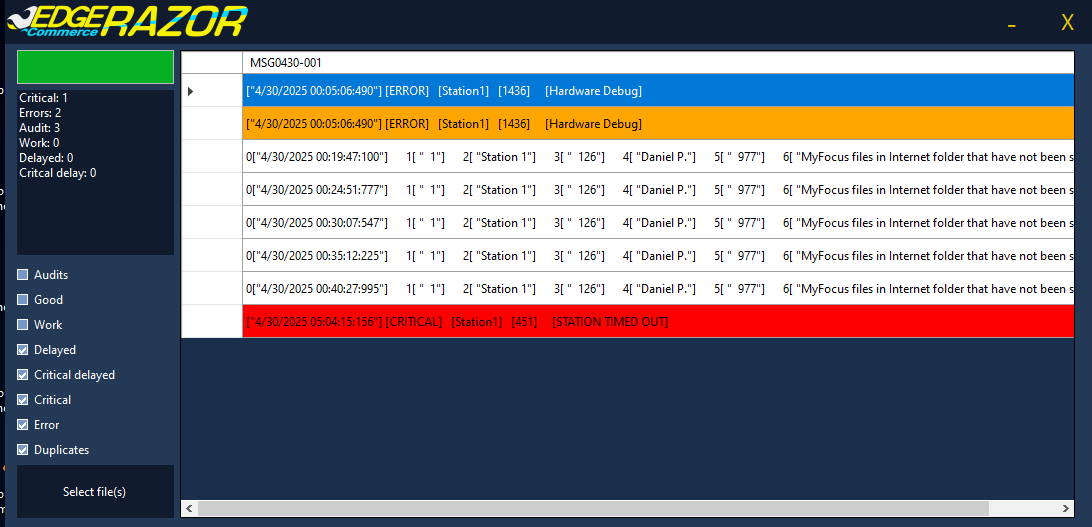
removes all but the most recent archive to cut down on space usage. And finally, Focus message explorer will access the logs of the computer,
specifically for Focus. It makes every log human readable and sorts them into critical states, delays, and general work processes. This made troubleshooting way easier.
Some other miscellaneous features Razor has is a remake of NetPLWiz. It makes adding users, groups, and setting automatic device sign-in a breeze.
Kiosk sign-in that makes a macro run on every startup to punch in the access code for Focus POS to log into a kiosk user. Zip files in F-drive
removes all but the most recent archive to cut down on space usage. And finally, Focus message explorer will access the logs of the computer,
specifically for Focus. It makes every log human readable and sorts them into critical states, delays, and general work processes. This made troubleshooting way easier.